


How to Install CS 1.6 on Windows 11 and 10 – Step-by-Step Guide
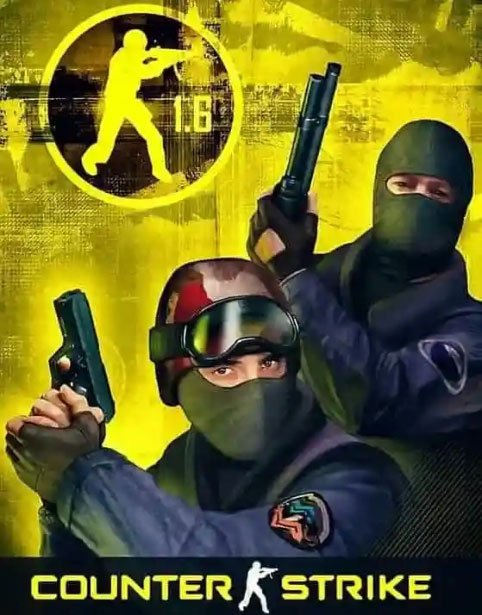
Learning how to install CS 1.6 takes about two minutes, but a few small details decide whether the game runs perfectly or greets you with a black screen. This guide walks through the whole process on Windows 11, 10 and 7 – from the download to your first online match – and explains how to fix the problems players run into most often.
Before you install CS 1.6
- Free disk space: about 750 MB.
- Windows version: Windows 7 or newer, 32-bit or 64-bit.
- Graphics driver: install the latest driver from NVIDIA, AMD or Intel. Old drivers are the number one cause of black screens and low FPS.
- Administrator rights: not required if you install outside Program Files.
Step 1 – Download the setup
Use the Download CS 1.6 setup button above or the download page. Your browser will save one installer file. If you prefer torrents, choose the torrent link and open it in qBittorrent or a similar client.
Some browsers show a warning for any .exe file downloaded from the internet. Choose Keep to finish the download.
Step 2 – Run the installer
- Open your Downloads folder and double-click the setup file.
- If Windows SmartScreen says “Windows protected your PC”, click More info and then Run anyway. SmartScreen shows this for installers without an expensive code-signing certificate, which includes most community game installers.
- Select the language of the installer and click Next.
Step 3 – Choose the install folder
We recommend C:\Games\Counter-Strike 1.6 or a folder on another drive, such as D:\Games\CS16. Avoid C:\Program Files: Windows protects that folder, and the game may fail to save your settings, nickname and downloaded maps.
Step 4 – Finish and create shortcuts
Leave the desktop shortcut option enabled, click Install and wait about a minute. When the progress bar is full, click Finish.
Step 5 – First launch after you install CS 1.6
- Start the game from the desktop shortcut.
- Go to Options → Multiplayer and type your nickname.
- In Options → Video choose your monitor’s native resolution and the OpenGL renderer.
- In Options → Mouse set the sensitivity you are used to and disable mouse acceleration.
Step 6 – Join a server
Click Find servers, open the Internet tab and sort by latency. Pick a server with players and a ping below 60 ms. To join a server you already know, open the console with the ~ key and type connect IP:port.
No internet right now? Choose New Game, pick a map such as de_dust2 and play against bots.
Common problems when you install CS 1.6
| Problem | Fix |
|---|---|
| Black screen after launch | Press Alt+Enter, then set OpenGL in Options → Video. Update the graphics driver. |
| Game window is tiny or stretched | Select your native resolution and turn off display scaling in the shortcut’s Properties → Compatibility. |
| Settings reset every time | The game is installed in Program Files. Reinstall to C:\Games. |
| Server list is empty | Allow the game in Windows Firewall and refresh the list after 10–20 seconds. |
| Low FPS on a laptop | In Windows graphics settings choose High performance for hl.exe, and use fps_max 100. |
| Antivirus deletes a file | Add the game folder to the antivirus exclusions, then reinstall. |
Console settings to use after you install CS 1.6
Open the console with ~ and enter these values for smooth online play:
rate 100000cl_updaterate 101andcl_cmdrate 101ex_interp 0.01fps_max 100
Turn off V-Sync in the NVIDIA, AMD or Intel control panel to remove input delay.
Uninstalling or reinstalling
To remove the game, open Settings → Apps, find Counter-Strike 1.6 and click Uninstall, then delete the install folder if anything is left. Copy your config.cfg from the cstrike folder first if you want to keep your binds and settings.
Valve still sells the official Counter-Strike 1.6 release – see the Counter-Strike page on Steam.
How to install CS 1.6: FAQ
How long does the installation take?
About one minute on an SSD and two to three minutes on an older hard drive.
Can I install CS 1.6 without administrator rights?
Yes, as long as you choose a folder you can write to, such as one inside your user folder or on a second drive.
Does this guide work for Windows 7?
Yes. The steps are the same; SmartScreen simply does not appear on Windows 7.
Where do I get more weapons tips?
Read our guide to the best weapons in CS 1.6 once the game is installed.